Quick answer
AI workflow automation is the practice of connecting triggers, business data, AI reasoning, human approval, tool execution, fallback paths and reporting into one measurable, end-to-end process. For service businesses, agencies, founders and operations teams, the practical goal is to reduce repetitive work while keeping approval, governance and measurement in place. Acxiomflow helps teams move from scattered tools to one working process without replacing the software stack they already use.
AI workflow automation turns scattered tools and AI features into one designed process that includes human approval, fallback handling, and ongoing reporting. Instead of leaving a CRM, an LLM, and a document generator to operate in isolation, automation ties them together with a clear sequence: a trigger starts the flow, AI logic enriches or classifies data, a human reviews and approves the decision, and the output updates the right system while a fallback path guards against failure. This article maps the implementation blueprint — not a list of tools, but the orchestration pattern that makes automation reliable.
What AI Workflow Automation Really Means in B2B
Too often, “AI automation” is reduced to tool names. In practice, the tools are only half the story. AI workflow automation is the designed layer that sits above your existing software and connects capabilities so that work moves from start to finish with the right checks at the right moments.
Beyond tool stacking: the missing layer of orchestration
Most mid-market B2B teams already own an LLM, a CRM, a project management system, and a set of AI features bundled inside the products they already pay for. The gap is that these pieces do not talk to each other automatically, and no one has defined the rules that should govern handoffs.
Orchestration is the layer that says: when a new lead arrives in a web form, enrich it with company data, create a draft response, pause for review, then update the CRM and notify the right person. Without that designed sequence, teams collect disconnected outputs that create more work, not less.
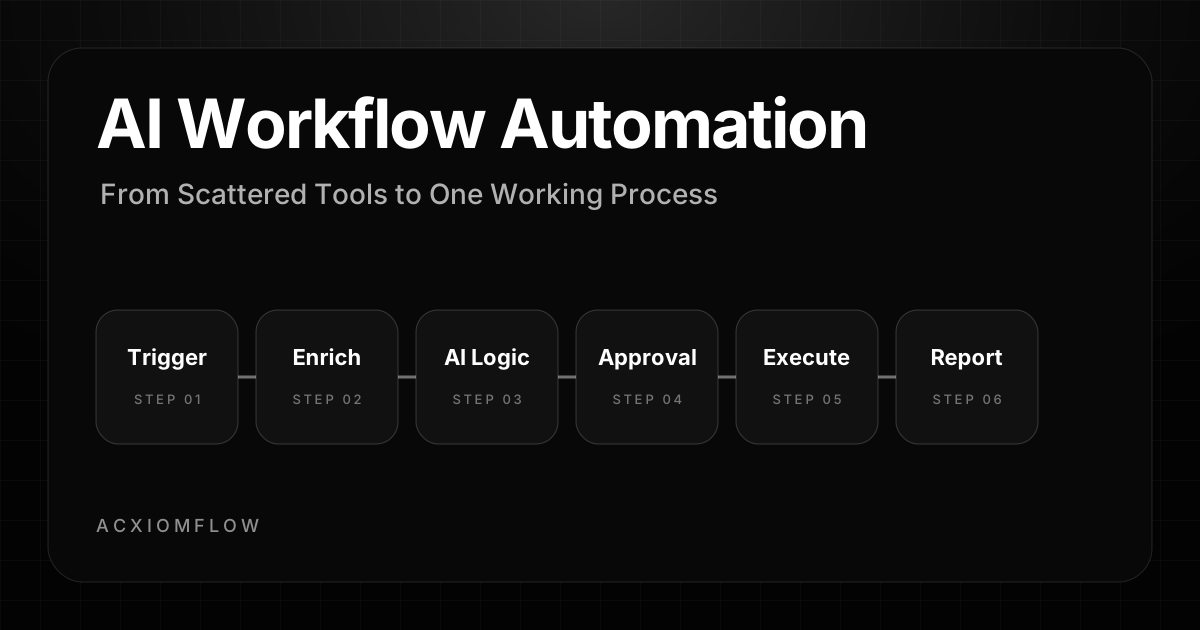
The six-step pattern: trigger, tools, AI logic, human approval, output, fallback
Every reliable AI workflow follows the same structural pattern:
- A trigger kicks off the process, such as a webhook, form submission, email arrival, new CRM record, or scheduled check.
- Connected tools provide the intake, data source, enrichment, and execution layer.
- AI logic classifies, extracts, routes, summarises, drafts, or recommends the next action.
- A human approval point reviews the AI output before anything sensitive reaches a client, supplier, CRM, or finance system.
- A defined output updates the right system, sends the right message, creates the right task, or generates the right report.
- A fallback path catches missing data, failed API calls, unclear outputs, or cases that need manual handling.
When you build with this pattern, AI becomes part of a controlled business process rather than a loose experiment.
Why AI automation fails without human approval
Even strong AI systems can misread context, miss a detail, or produce an output that needs judgement. In business processes such as proposals, invoices, onboarding, and customer communication, unchecked automation can create risk.
Human approval changes the role of AI. Instead of replacing judgement, AI prepares the work, highlights the information, drafts the next step, and lets a person approve, edit, or reject it. That is what makes AI workflow automation practical for real operations teams.
Why Business Tools Alone Cannot Deliver AI Automation
SaaS platforms now include AI features everywhere, but those features rarely create a complete process on their own. The result is a familiar problem: teams have more tools, but the work is still scattered.
The scattered-tool reality in mid-market B2B
A sales team might use one tool for outreach, another for lead data, a CRM for pipeline tracking, a document tool for proposals, and ChatGPT or another AI assistant for drafting. Each tool can help, but no single tool owns the full business process.
The AI may draft a useful email, but someone still copies it into another system. The CRM may contain the lead, but no one updates the next step. The document may be created, but it is not logged against the deal. The work still relies on manual handovers.
Examples: AI writing an email but never sending it, CRM never updating
A common half-automation is an AI tool that writes a good email but does not know when to send it, who should approve it, where the source data came from, or whether the CRM has been updated afterwards.
Another example is invoice extraction. An AI tool may read a PDF, but if the extracted fields do not reach the finance system, the business still needs manual copy-paste.
A properly designed workflow bridges those gaps. It moves the output to the next step automatically, while keeping human review where it matters.
The AI Workflow Implementation Blueprint: 6 Steps
Moving from scattered tools to one working process follows a repeatable blueprint.
Step 1: Define the trigger
Every workflow needs a clear starting point. The trigger might be:
- a new website enquiry
- an email arriving in a shared inbox
- a new CRM deal stage
- a new support ticket
- a file uploaded to a folder
- a scheduled weekly reporting check
- a webhook from another system
The trigger must be specific, testable, and tied to a real business process. If the trigger is vague, the automation will be unreliable.
Step 2: Connect the right tools
The workflow should connect the tools the business already uses. This might include a CRM, spreadsheet, inbox, document store, helpdesk, project management tool, payment platform, or database.
Tools such as n8n, Make, Zapier, APIs, and custom scripts can sit in the orchestration layer, but the tool is not the strategy. The value comes from designing the process around the business outcome.
Acxiomflow’s approach is not to force a software migration. The aim is to connect the tools and AI features already in use into one working process.
Step 3: Design the AI logic
AI logic handles the work that requires interpretation, classification, extraction, drafting, or summarisation.
Examples include:
- classifying a lead by intent
- summarising a customer message
- extracting invoice fields
- drafting a follow-up email
- identifying missing information
- routing a request to the right team
- turning notes into a structured task list
The AI step should have a clear job. It should not be asked to make uncontrolled decisions across the whole business.
Step 4: Add human approval
Human approval is the control point. It lets a person review what the AI has prepared before the workflow continues.
Approval may be needed before:
- a proposal is sent
- a CRM record is changed
- an invoice is approved
- a customer response goes out
- a report is shared
- a task is assigned to another team
The reviewer should be able to approve, edit, reject, or escalate the output.
Step 5: Define the output
The output is the action that makes the workflow useful. It might be:
- a CRM update
- an email draft
- a sent notification
- a generated document
- a spreadsheet row
- a support ticket update
- a dashboard entry
- a task in a project management tool
Without a clear output, AI creates content but not operational value.
Step 6: Build fallback and reporting
No workflow should fail silently. A fallback path handles unclear data, missing fields, API failures, invalid AI responses, or cases that need manual review.
Reporting then shows whether the workflow is working. Useful measures include time saved, number of manual reviews, errors caught, response speed, and bottlenecks removed.
This is how AI automation moves from experiment to managed process.
Concrete B2B Workflow Examples
The blueprint becomes easier to understand when applied to real business processes. For more examples, see AI workflow automation examples.
Example 1: Lead-to-proposal workflow
Trigger: A prospect submits a form on the website.
Tools and enrichment: The workflow captures the form data, checks the company website or CRM, and enriches the lead record.
AI logic: AI summarises the request, identifies likely intent, and drafts a suggested response or proposal outline.
Human approval: A sales team member reviews the draft, adjusts the scope, and approves the next step.
Output: The CRM is updated, a task is created, and the approved follow-up is prepared or sent.
Fallback: If the request is unclear, the workflow routes it for manual review instead of sending an unsuitable response.
Example 2: Invoice processing and approval
Trigger: A supplier invoice arrives in a finance inbox.
Tools and enrichment: The workflow extracts the attachment, reads the invoice, and checks supplier or purchase order data.
AI logic: AI extracts invoice number, supplier name, amount, date, and payment details.
Human approval: A finance user reviews the extracted data before it is accepted.
Output: Approved data is sent to the finance system or spreadsheet, and the invoice status is updated.
Fallback: If fields are missing or the invoice format is unclear, a manual task is created with the issue highlighted.
Example 3: Customer onboarding workflow
Trigger: A deal is marked as won in the CRM.
Tools and enrichment: The workflow pulls deal notes, contact details, project requirements, and service information.
AI logic: AI drafts an onboarding checklist, welcome email, and internal handover summary.
Human approval: The account manager reviews the proposed onboarding plan.
Output: Tasks are created, the CRM is updated, and the welcome sequence is prepared.
Fallback: If the deal notes are incomplete, the workflow asks the account manager for clarification before proceeding.
Where Orchestration Tools and AI Agents Fit
Orchestration tools and AI agents are execution components. They are not the whole strategy.
Workflow orchestration versus AI capability
Orchestration decides what happens next. AI capability interprets information and prepares outputs. A reliable workflow keeps these roles separate.
The orchestration layer manages triggers, routing, approvals, outputs, and fallback paths. The AI layer handles language, summarisation, extraction, classification, and drafting.
This separation makes the process easier to monitor, maintain, and improve.
How your CRM, ERP, and document systems sit inside the workflow
Your existing systems remain the source of truth. The workflow connects them rather than replacing them.
A CRM might store leads and deals. A spreadsheet might hold planning data. A finance system might hold invoices. A document platform might hold files. The workflow links these tools so people do not have to move information manually.
The AI workflow automation audit guide starts with mapping the triggers, handovers, approval points, and outputs already present in your business.
The role of AI agents and LLMs
AI agents and LLMs are useful when a workflow needs to interpret unstructured information. They can summarise emails, extract fields, classify requests, draft responses, and prepare structured outputs.
They work best when their job is narrow, the source data is clear, and the next step includes review or fallback handling.
From Pilot to Production: Reporting, Training, and Maintenance
A one-time build is not enough. AI workflow automation needs monitoring, training, and improvement.
Reporting
A production workflow should show what it is doing. Useful reporting might include:
- how many items entered the workflow
- how many required human review
- how many failed or used fallback
- average response time
- manual steps removed
- repeated bottlenecks
This gives the business evidence instead of guesswork.
Training
Teams need to understand how the workflow works, when to approve, when to edit, and what happens when something fails.
Training turns automation from a hidden technical system into a process the team can trust and improve.
Maintenance
Processes change. Tools change. Data formats change. A workflow that worked last month may need adjustment when a CRM field changes or a supplier sends a different invoice format.
Maintenance keeps the process useful after launch. This is why Acxiomflow focuses on build, training, maintenance, and improvement — not just one-off deployment.
How to Get Started: Book a Free AI Workflow Audit
The fastest way to start is to map the scattered tools, manual handovers, repeated admin, and approval points already inside the business.
Acxiomflow’s free AI workflow audit helps identify where AI workflow automation can reduce repetitive work without replacing the existing software stack.
Whether the first workflow is lead follow-up, invoice processing, support triage, reporting, onboarding, or content operations, the same principle applies: design the process first, then connect the tools.
Common Questions About AI Workflow Automation
For more answers, visit the AI workflow automation FAQs.
What is AI workflow automation?
AI workflow automation connects triggers, tools, AI logic, human approval, outputs, fallback paths, and reporting into one managed process.
How is AI workflow automation different from using AI tools?
Using AI tools alone creates isolated outputs. AI workflow automation connects those outputs to real business actions, with review and measurement built in.
What are common B2B examples of AI workflow automation?
Common examples include lead qualification, proposal drafting, invoice processing, customer onboarding, support triage, CRM updates, reporting, and internal approval workflows.
Do I need an n8n agency or tool-specific specialist?
Most businesses need a process-first implementation partner rather than a tool-specific agency. The important part is the workflow design: trigger, AI logic, human approval, output, fallback, and reporting.
What is the role of human approval in AI automation?
Human approval acts as a quality gate. It lets AI prepare the work while keeping final judgement with the team where accuracy, tone, risk, or client communication matters.
How do I get started with AI workflow automation?
Start by auditing the repetitive work, handovers, tools, approval points, and reporting gaps in your current process. Acxiomflow offers a free AI workflow audit to help map this out.
Learn more about AI workflow automation services.