> Quick Answer: Recruitment workflow automation connects your existing ATS, CRM, and AI tools into a single, measurable process—not by adding more software, but by designing a workflow that includes triggers, AI decision logic, human approval, fallback handling, and real-time reporting. Instead of manually moving data between systems, recruiters review and approve AI-prepared outputs, keeping quality and compliance without the repetitive admin.
Why Recruitment Teams Are Wasting Time (It’s Not the Tools)
Most recruitment agencies already own powerful software. Their ATS, CRM, email sequencer, and even built-in AI features are perfectly capable individually. The bottleneck is that none of these tools talk to each other in a working process. A new CV arrives in the inbox; someone downloads it, reads it, copies key details, pastes them into the ATS, drafts a follow-up email, updates a spreadsheet, and reminds themselves to check back in three days. That sequence repeats for every candidate. The problem isn’t a lack of tools; it’s a lack of flow. Every manual handover, every copy-paste step, and every missed follow-up is a sign of a broken process that wastes time, introduces errors, and delays candidate response. This article is about building a practical recruitment automation workflow that connects what you already have—without replacing your entire stack.
What Recruitment Workflow Automation Actually Means
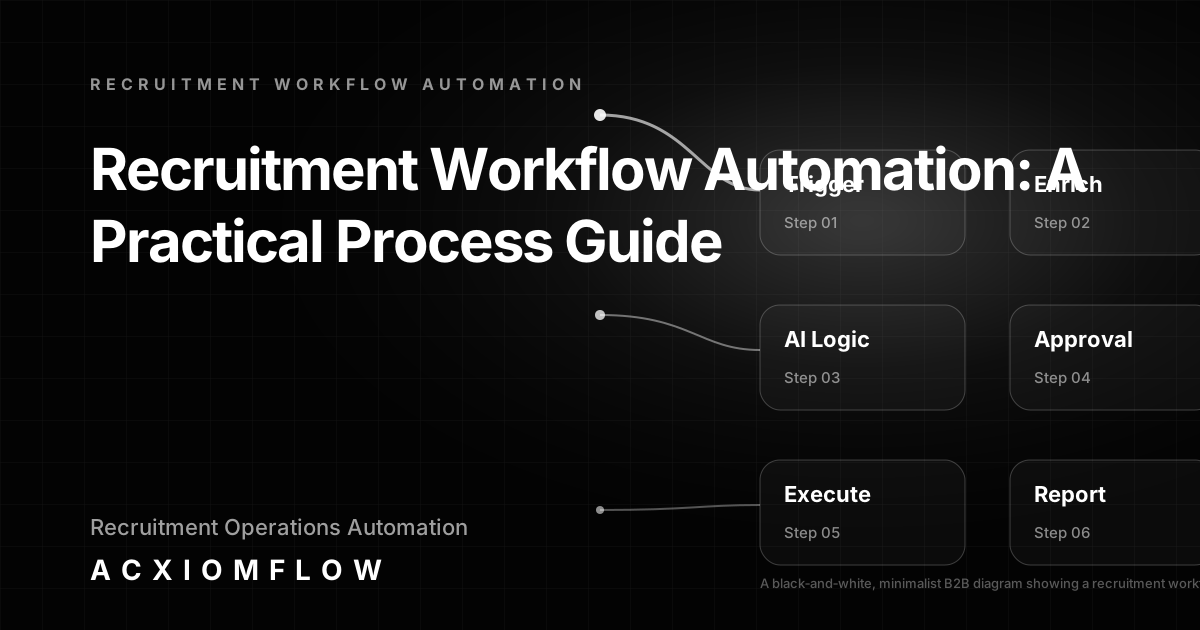
Recruitment workflow automation is the practice of connecting your existing recruitment tools and data sources into a single, repeatable process where AI prepares inputs, a human approves critical decisions, and actions happen automatically. It’s not a single piece of software; it is a designed sequence that moves work forward reliably, with human oversight and measurable outcomes.
The four essential layers in any robust recruitment automation workflow are:
- Trigger: An event that starts the workflow—a new application in your ATS, a calendar invite for an interview, a candidate moved to a specific pipeline stage.
- AI Decision Logic: Work that AI performs—extracting skills from a CV, classifying a candidate against a job spec, drafting a personalised email, or summarising past notes.
- Human Approval: A mandatory review step where a recruiter confirms, edits, or rejects the AI’s output before any communication goes out or any system is updated.
- Output & Fallback: The final action (updating the CRM, sending the email, adding a task) and a predefined fallback path if numbers are missing, confidence is low, or a tool fails.
The Four-Step Structure That Turns Scattered Tools Into a Working Process
Acxiomflow’s approach to workflow automation mirrors the practical reality of recruitment: any high-volume hiring task can be described as a chain of four steps, each with clear ownership and measurement.
- Intake – Emails, CVs, forms, ATS records, calendar events, or helpdesk tickets that start the flow.
- AI Understanding – The system classifies the intake (candidate, role, urgency), extracts relevant information, summarises, scores, or drafts content.
- Process Rules – Business logic that decides routing, prioritisation, validation checks, and which team member should review the result.
- Human Approval & Action – A recruiter reviews the AI-prepared output, makes any necessary edits, and confirms; only then does the tool update or message go out. This step ensures quality, compliance, and personal touch.
These four steps repeat across all the workflow examples below. Understanding the pattern is more important than any single tool.
Concrete Recruitment Workflow Examples
Each of the following examples includes the trigger, AI logic, human approval point, output, and fallback handling—so you can see how a real working process is built. (For more AI workflow automation examples, browse Acxiomflow’s demo library.)
CV Screening and Shortlisting with Human Oversight
- Trigger: A new candidate applies through your ATS or career portal.
- AI Logic: The workflow extracts skills, experience level, and relevant keywords from the CV, compares them against the active job specification, and assigns a priority score. It also flags missing must-have criteria.
- Human Approval: A recruiter reviews the ranked shortlist in their existing ATS. They can adjust scores, remove candidates who are not a fit, or add personal notes.
- Output: Once approved, the shortlist is finalised in the ATS, and rejection emails are queued for candidates who did not meet the threshold—but only the recruiter triggers the send.
- Fallback: If the AI cannot extract usable data (poorly formatted CV, incomplete profile), the candidate is automatically flagged for manual review. Dead steps are logged so you can see where the process stalled.
Automated Candidate Summary for Pre-Interview Notes
- Trigger: An interview is scheduled—detected via a calendar event or stage change in the ATS.
- AI Logic: The workflow pulls together the candidate’s CV, previous email exchanges, any notes in the CRM, and the job description. It drafts a one-page summary highlighting key skills, potential questions, and any red flags.
- Human Approval: The summary appears in the recruiter’s existing tool—perhaps a Notion page, a Google Doc, or inside the CRM record—for review and editing.
- Output: The approved summary is saved to the interview pack or attached to the calendar event. A Slack notification alerts the interviewer that notes are ready.
- Fallback: If insufficient data exists (new client, no previous notes), a prompt asks the recruiter to add a few bullet points manually. An alert is sent to the team lead if the approval step takes longer than the configured deadline.
Personalised Follow-Up Sequences with Check-In Rules
- Trigger: A candidate moves to a specific pipeline stage, such as ‘CV sent to client’.
- AI Logic: Using candidate data, role details, and previous interaction history, the workflow drafts a follow-up email. It uses the recruiter’s tone and brand voice, not a generic template.
- Human Approval: The draft appears in the recruiter’s email tool or CRM where they can personalise further, change the subject line, or add a specific remark before approving send.
- Output: The email is sent through the existing email sequencer or CRM, and the next follow-up step is automatically scheduled based on the response rules.
- Fallback: If no reply is received within the expected window, a new task is created for the recruiter to take manual action. Out-of-office replies trigger an alternative sequence or pause.
Reporting and Recruiter Productivity Dashboard
- Trigger: A scheduled run—daily, weekly, or on demand.
- AI Logic: The system aggregates data from the ATS and CRM: number of CVs processed, time-to-shortlist, follow-up completion rates, and pipeline velocity. It generates a concise summary and optionally suggests bottlenecks.
- Human Approval: For internal management reports, no approval is needed; the report is delivered automatically. However, managers can set thresholds for alerts—for example, if CV-to-interview time exceeds a target.
- Output: A dashboard or summarised email lands in the operations team’s inbox or a shared workspace. It includes trend lines and improvement suggestions.
- Fallback: If a data source is unavailable, the report is generated with that metric marked as ‘unavailable’ rather than breaking entirely. Manual overrides let you fill gaps when needed.
How Tool‑Agnostic AI Automation Works in Practice
Buying yet another recruitment platform rarely solves the problem. Most agencies already have an ATS, a CRM, email tools, and often some AI features inside them—but they remain disconnected. A tool‑agnostic automation approach focuses on designing the process first, then wiring the existing components together so work flows without manual handovers. Tools such as n8n, Make, or Zapier can handle the plumbing, but the real value is in the process design, AI decision logic, and human approval layers that sit above any single platform.
Crucially, tool‑agnostic means you don’t need to migrate your data or learn a new interface. A well-designed automation can trigger from your current ATS, enrich data with AI, route the result to the right recruiter for review, update your CRM, and log everything for compliance—all without replacing your software. The workflow also includes graceful fallback paths, so if an external service is temporarily down or AI confidence is low, the process doesn’t silently fail. A human is alerted and the work continues. Maintenance and ongoing improvement are part of the design too: as your hiring patterns change, the workflow rules are adjusted so the process stays sharp rather than decaying over time.
Common Mistakes When Automating Recruitment Workflows
Even well-intentioned automation projects can go wrong. Here are the most frequent missteps:
- Automating end-to-end without human approval: Removing the recruiter from the loop can damage candidate experience and cause compliance issues. Every candidate‑facing output should be reviewed by a person before it’s sent.
- Ignoring compliance: GDPR requires lawful processing of personal data, retention limits, and the right to explanation. Automation workflows must log decisions and retain audit trails, not just move data quickly.
- No fallback path when AI confidence is low or tools fail: Happy‑path automation breaks when the unexpected happens. Every workflow needs a clear ‘what happens if’—flag for manual review, alert a team lead, or pause and wait.
- Forcing a new platform instead of connecting what already exists: The promise of an all‑in‑one tool often means rip‑and‑replace disruption. A process‑first approach connects your existing ATS, CRM, and communication tools, preserving the familiarity your team already has.
- No reporting: If you can’t measure the improvement, you can’t improve further. Every automated process should capture baseline metrics so you see time saved, response speed, and bottlenecks removed.
How a Recruitment Workflow Automation Agency Can Help (And What to Look For)
There is a world of difference between a tool reseller and a process‑first automation partner. The former sells you a platform and wishes you luck; the latter audits your actual working day, identifies the repetitive admin that slows your consultants, then designs and builds a connected workflow that sits across your existing tools—with human approval, compliance logging, and measurable outcomes.
Acxiomflow operates as that process‑first partner. We start with a free AI workflow audit to uncover the biggest time‑wasting manual tasks in your recruitment process. Then we design the workflow using our Acxiomflow process—intake, AI understanding, process rules, tool updates, team approval, and real metrics. Because we work with your current ATS, CRM, and communication stack, there’s no required software migration. Training, maintenance, and continuous improvement are built in so the workflow keeps delivering value.
For recruitment agencies early in their journey, engaging an automation consultant makes sense when you want operational leverage without hiring a dedicated technical team. You get a designed process, not just a collection of tools. For more on what this looks like, explore our AI workflow automation services.
Benefits of Recruitment Workflow Automation (Measurable, Not Hype)
Adopting a well-designed automation workflow brings concrete improvements—not through inflated claims, but by removing friction from daily recruiting work. Agencies report:
- Less time spent on repetitive admin: CV handling, note preparation, and manual CRM updates shrink, freeing recruiters for relationship‑building.
- Faster response to candidates improves placement rates and candidate perception, because you’re not leaving people waiting for a reply.
- Consistent compliance and audit trails without extra effort, because every step is logged and decisions are traceable.
- Consultants focusing on conversations and closing, not data entry, leading to higher job satisfaction and better conversion.
- Real‑time visibility into pipeline health and consultant workload for leadership, instead of piecing together spreadsheets.
FAQs About Recruitment Workflow Automation
Before we close, here are the most common questions recruitment teams ask. (For even more, visit our AI workflow automation FAQs.)
How to automate recruitment process?
Identify the highest‑volume, repeatable tasks—CV screening, candidate follow‑ups, note creation—and design a workflow with clear triggers (new application, stage change), AI to classify or draft, a human approval step, and a defined output (CRM update, email send). Avoid automating everything at once. Start with one process, measure the improvement, then expand. A workflow audit helps pinpoint the biggest time sinks.
What are the 7 steps of the recruitment process?
The typical seven stages are: job analysis, sourcing, screening, interviewing, selection, offer, and onboarding. Workflow automation can accelerate each stage—for example, AI-driven sourcing suggestions, automated screening and shortlisting, scheduling support, and onboarding document generation—always with a human decision point where judgement matters.
What is an ATS vs CRM?
An Applicant Tracking System (ATS) manages the hiring pipeline from application to hire. A Candidate Relationship Management (CRM) system nurtures talent pools and long‑term relationships. In a well‑designed automation, events from either system can act as triggers: a CRM lead converting to an applicant starts a screening workflow in the ATS, for instance.
What are the 5 stages of the recruitment process?
Many models simplify to: planning, sourcing, screening, selecting, and onboarding. Automation can add intelligence to each stage—scoring during screening, drafting offer letters during selection, triggering onboarding tasks—without removing the recruiter’s decision‑making role.
What does a recruitment workflow automation agency do?
A specialist agency like Acxiomflow audits your existing tools and daily workflows, identifies repetitive manual tasks, then designs and builds a connected process that uses triggers, AI decision logic, human approval, and reporting. It’s about process design and implementation, not selling software. Training and ongoing maintenance are part of the engagement so the workflow improves over time.
How much does recruitment workflow automation cost?
Cost depends on the number and complexity of workflows, the tools already in place, and the level of support required. Instead of a fixed price list, a good agency starts with a free audit to identify where automation will have the biggest impact. Acxiomflow’s free AI workflow audit provides a clear scope before any investment so you know exactly what you’re budgeting for.
What are the benefits of recruitment workflow automation?
The main benefits are: time saved on admin (CV screening, note taking, follow‑up drafting), faster candidate response, built‑in compliance with approval steps, real‑time reporting, and freeing recruiters to focus on relationships and placements rather than moving data between systems.
From Scattered Recruitment Tools to One Working Process
Every recruitment agency already has the pieces—an ATS, a CRM, email tools, perhaps some AI features. The missing layer is a designed process that connects them, with clear triggers, AI assistance, human approval, and fallback handling. By adopting a four‑step structure (intake, AI understanding, process rules, human approval) and applying it to concrete workflows like CV screening, candidate summaries, follow‑ups, and reporting, you can turn scattered tools into one working process that your team can operate, measure, and improve.
Whether you plan to build in‑house or work with an automation partner, the first step is a clear view of where the friction is. Acxiomflow’s free AI workflow audit gives you that view—without software migration, without hype. Your business is not short of tools. It is short of flow.
Book a free AI workflow audit and move from scattered tools to one working process.