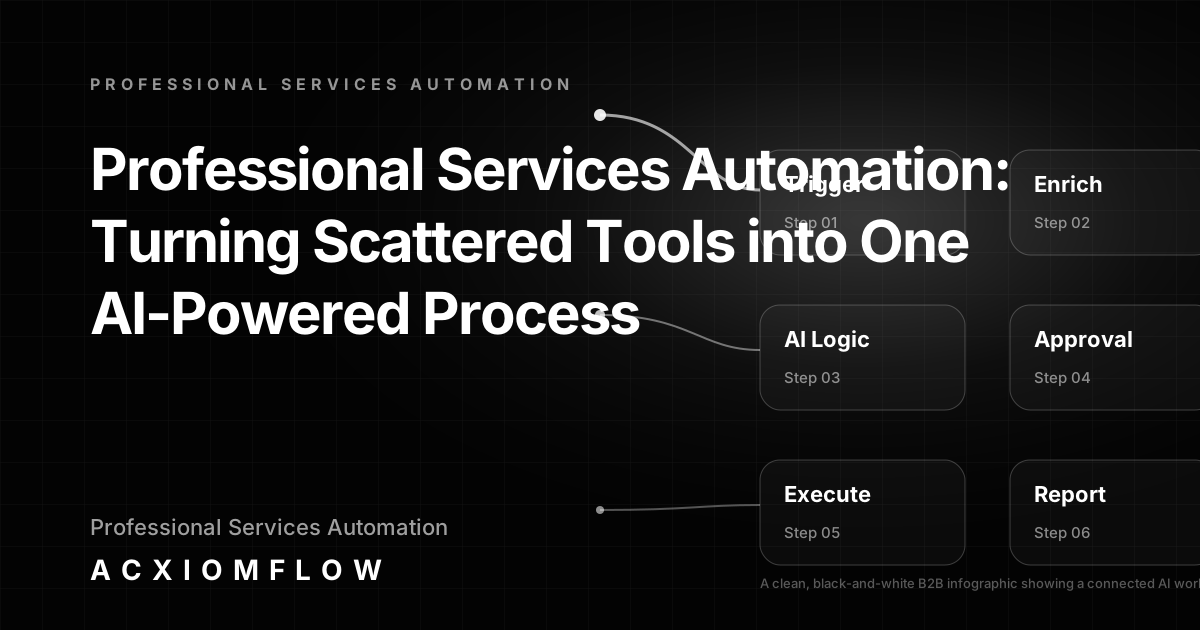
>Quick answer: Modern professional services automation is not about buying another all-in-one platform; it is about connecting the CRM, email, AI, and project management tools you already use into a single, measurable process where AI prepares and your team decides. This guide walks through practical AI workflow architecture – from trigger and enrichment to human approval and fallback handling – built specifically for consulting and advisory firms.
What Professional Services Automation Actually Means Now
For years, the promise of professional services automation (PSA) was a single platform that would manage projects, resources, billing, and reporting inside one interface. The reality for most consulting and advisory firms is different: you have a CRM, an invoicing tool, project boards, email, and perhaps a PSA module inside a larger suite. The result is scattered data, manual handovers, and constant copy-paste between systems.
The old PSA promise assumed you would replace your stack. Today’s smarter approach asks a different question: how do you connect your existing tools – AI features included – into one working process? Instead of another software migration, you add a layer of AI decision logic, human approval, and output handling that flows across what you already pay for. This is what professional services automation means now: a connected process, not another platform.
The old PSA promise vs. today’s reality
Legacy PSA systems excel at resource management and time-tracking, but they often fail at the daily operational friction that consultancies actually face: a new lead enquiry arrives via email, someone has to copy the data into the CRM, draft a follow-up, check recent interactions in the project tool, and wait for a partner to sign off before anything moves forward. Each handoff is a delay. That friction is not a platform problem – it is a process problem.
Why buying another tool doesn’t fix scattered operations
Adding another tool without connecting the existing ones often makes the problem worse. More logins, more duplication, more places for information to go out of date. The real gain comes from building AI workflow automation services that sit across your current CRM, inbox, and AI capabilities, routing information intelligently and keeping humans in control of critical decisions.
The shift to connected AI workflows in professional services
Service businesses, agencies, and founders are moving toward practical AI implementation. They are turning scattered tools into a single process where classification, drafting, data enrichment, and reporting happen automatically, while review, approval, and escalation remain in human hands. This is the shift from platform-first to process-first thinking.
The Engine of a Modern Professional Services Workflow
A modern professional services automation engine is not a piece of software – it is a reusable set of components that can be connected around any existing tool stack.
Trigger: how the process starts
A trigger is any event that should start work moving: a new email from a prospect, a CRM record reaching a certain stage, a signed SOW uploaded to a shared drive, a form submission. The trigger captures the raw data and moves it into the workflow.
AI Decision Logic: classification, extraction, prioritisation, drafting
Once the trigger fires, AI steps in. It can classify the type of request, extract key data from a PDF or email body, summarise historical client context, draft a response, or prioritise based on urgency. This is not a black box – it is a set of rules and models that work within defined guardrails. Automation platforms like n8n, Make, and Zapier can orchestrate these steps, but the value is in the process design, not the tool.
Tool Layer: where your existing software fits (not as the hero)
Your CRM, PSA, invoicing, and document tools act as data sources and destinations. AI does not replace them; it moves information between them and triggers updates. HubSpot, NetSuite, Pipedrive, Airtable – these are the systems your team already uses. The AI layer connects them.
Human Approval: checkpoint, edit, and escalation before final output
Every critical action that affects a client, a deliverable, or a financial record passes through a human checkpoint. The AI prepares a draft, suggests a response, or populates fields, but a person reviews and confirms. If no one approves within a set window, the system escalates or follows a defined fallback path – nothing slips through unnoticed. This human-in-the-loop design is non-negotiable in professional services.
Output & Fallback: what gets delivered and what happens on error
The output might be a CRM update, an email draft, a task created in a project tool, a report summary, or a Slack alert. If the AI encounters incomplete data, a missing field, or an unexpected format, the process does not break. It logs the issue, notifies the responsible person, and routes the item to a manual queue for attention.
Reporting & Monitoring: time saved, bottlenecks, audit trail
The final layer provides measurement. You can see how many manual touches were removed, how response time improved, where bottlenecks still exist, and every decision point with timestamps. This turns the process into something you can manage and improve, not just set and forget.
Seven B2B Workflow Examples for Consultants and Advisory Firms
These examples follow the same architecture: trigger, AI decision logic, tool layer, human approval, output, and fallback. AI workflow automation examples show how these patterns come to life.
1. Lead qualification and CRM update workflow
- Trigger: New enquiry email lands or web form submits.
- AI: Classifies sector, extracts company size and service need, checks CRM for existing contact, drafts a prioritised summary and a suggested first reply.
- Tools: HubSpot or Pipedrive CRM, email inbox.
- Human approval: Partner reviews the summary and reply, edits if needed, confirms.
- Output: CRM record created or updated, enriched with AI-extracted data; first follow-up email sent.
- Fallback: If AI cannot classify accurately, the enquiry goes to a manual triage queue and flags the team.
2. Proposal generation and client review workflow
- Trigger: CRM opportunity moves to “proposal needed”.
- AI: Pulls project scope from previous communications, assembles a draft proposal using standard service descriptions and pricing templates, and inserts client-specific context.
- Tools: Google Docs, CRM, knowledge base.
- Human approval: Consultant reviews the draft, adjusts scope or fees, and finalises.
- Output: Proposal document delivered; next steps task created.
- Fallback: If template data is missing, the system alerts the practice manager and holds the draft.
3. Invoice and document processing workflow
- Trigger: Invoice PDF or contract arrives by email.
- AI: Extracts supplier name, amount, due date, line items; classifies by engagement; suggests ledger code.
- Tools: Email, accounting package, NetSuite or Airtable.
- Human approval: Finance team reviews extraction results, adjusts coding, approves.
- Output: Accounting record updated; payment scheduled.
- Fallback: Unreadable scanned documents are routed to a manual review queue and flagged for re-scan.
4. Customer onboarding workflow (signed SOW to project setup)
- Trigger: Signed SOW received or deal marked “won” in CRM.
- AI: Reads key dates, contacts, scope, and deliverables from the PDF; creates project workspace and tasks.
- Tools: CRM, project management tool, shared drive.
- Human approval: Project lead confirms task list and timeline, adds any custom steps.
- Output: Project board populated, kickoff meeting scheduled, welcome email draft ready for review.
- Fallback: If the PDF is incomplete, the onboarding pauses and notifies the engagement manager.
5. Service delivery reporting workflow
- Trigger: End of week cycle.
- AI: Pulls time logs, milestone status, and budget data from multiple tools; generates a client-ready summary highlighting progress and issues.
- Tools: Project tools, time tracking, CRM.
- Human approval: Engagement lead reviews the report, adds commentary, and approves.
- Output: Client-ready report delivered; internal bottleneck alert if thresholds breached.
- Fallback: Missing time entries trigger a reminder to the team; report holds until data is complete.
6. Content operations workflow (thought leadership)
- Trigger: Content topic added to editorial calendar.
- AI: Gathers reference material, drafts an article outline and first version based on firm’s tone and existing assets.
- Tools: Google Docs, knowledge base, CMS.
- Human approval: Senior consultant edits and signs off the final version.
- Output: Final content moved to publication queue; social excerpts drafted.
- Fallback: If quality check flags factual concerns, the draft returns to author with notes.
7. Internal approval workflow for advisory deliverables
- Trigger: Consultant marks deliverable as “ready for review”.
- AI: Checks document against checklist (completeness, formatting, brand), logs version, and routes to partner.
- Tools: Document storage, checklist database.
- Human approval: Partner reviews, rejects with notes or approves.
- Output: Approved version published or sent; audit trail recorded.
- Fallback: If a reviewer is unavailable, the workflow escalates to a backup after a defined period.
Why Human-in-the-Loop Is Non-Negotiable in Professional Services
Advisory firms operate on trust, regulation, and expertise. A mis-sent client communication or an unverified data extraction can damage reputation. AI in professional services automation must prepare, not decide. The process always includes a human approval step for actions that carry risk.
Where autonomy is safe – and where it isn’t
Data enrichment, classification, and routine CRM updates can run with high autonomy, as long as outputs are logged and monitorable. Client-facing deliverables, financial entries, and contractual commitments require human review. Designing the workflow around clear approval points means you get efficiency where it belongs and control where you need it.
Building approval steps that don’t become another bottleneck
Approval that relies on a single person in a long email thread creates delays. A well-designed workflow sends a simple review request with the AI’s draft and a link to act. Approvals can happen in Slack, email, or a shared dashboard, and the system tracks response time so you can see if the step is holding things up.
Error handling and fallback paths that protect your firm’s reputation
Every workflow needs a defined error path. If the enrichment source is missing, the AI model returns low confidence, or the human reviewer does not respond, the item must not disappear. It must be routed to a fallback queue, flagged visibly, and resolved by a person. This is the difference between practical AI implementation and AI theatre.
How to Measure Professional Services Automation (Without Vague ROI)
Instead of overblown ROI claims, advisory firms can track a handful of practical numbers from day one.
- Time‑to‑reply on new enquiries: how quickly a lead moves from inbox to CRM to first draft response.
- Manual touches removed per client process: the number of copy‑paste steps, manual lookups, or transfers eliminated.
- Error rate before vs after human review: how often AI-drafted content needs correction – a sign to tune models or prompts.
- Reporting preparation hours saved: reduction in time spent pulling data across tools.
- Bottleneck alerts: how many times a process pauses because a step timed out or data was missing, and how quickly it resolved.
Tracking these numbers gives your operations team a clear view of what is improving and where the next tuning effort should go.
How to Get Started: From Audit to One Working Process
Moving from scattered tools to a connected process does not require a department-wide overhaul. A focused pilot on the highest-friction task proves the model and builds internal confidence.
- Identify the highest-friction repeatable task. Look for the process where manual handovers and copy-paste work consume the most time. Lead follow-up and invoice processing are common starting points.
- Map the current handoffs and tools. List every system involved, every manual step, and every point where information is re-entered.
- Choose a pilot workflow, not a department overhaul. Start with one repeatable process and run it for 4–6 weeks.
- Build, test, review, iterate. Set up the trigger, AI layer, tool connections, approval steps, and fallback paths. Test with sample data, then with real work. Review the outputs and refine.
- Train the team and measure month one. Show the team exactly when and how they will interact with the system, and set up the measurement numbers listed above.
The Acxiomflow process follows exactly this pattern: Intake → AI Understanding → Process Rules → Tool Updates → Team Approval → Real Numbers. We work with what you already use – no software migration required – and we build practical, documented workflows that your team can own.
Frequently Asked Questions
What is a professional services automation system? A traditional professional services automation system is an all-in-one platform for project management, resource planning, and billing. Today, the definition has expanded. A professional services automation system can be a connected AI workflow that orchestrates existing tools – CRM, email, documents, AI models – into one measurable process, without being locked into a single vendor.
What is the difference between ERP and PSA? ERP covers enterprise-wide functions like accounting, HR, and inventory. PSA is designed for project-based service delivery, focusing on resources, time, and client work. Modern AI workflows often sit across both, pulling data from ERP and PSA tools and adding intelligent routing, drafting, and human approval. The smart move is to connect what you already use rather than choosing one over the other.
What are examples of PSA software? Examples include Workday, Kantata, and NetSuite SuiteProjects, often used by mid‑market and enterprise consultancies. However, the bigger opportunity is not about which platform you buy; it is about connecting those platforms with AI and business tools into one process. If your firm already uses a PSA tool, it becomes just one data source inside a larger connected workflow.
How can AI improve professional services automation? AI can add intelligent classification, content drafting, summarisation, and decision routing on top of your project and client data. For example, a consulting firm’s lead enquiry can be automatically classified, enriched with existing account data, CRM-updated, and a draft follow-up created for human review – all without copy-paste work across systems.
What is the role of human approval in AI automation for professional services? In regulated, high-trust advisory work, human approval ensures quality, compliance, and relationship control. The AI prepares and suggests; a person reviews and decides. The process must include defined fallback paths if a human doesn’t approve in time, protecting both speed and reputation.
For more questions, see our AI workflow automation FAQs.
---
Your firm already has the tools. What is missing is the process that connects them into one working system with AI doing the heavy preparation and your team making the final call. Start with one high-friction task, measure the outcome, and scale from there.
Book a free AI workflow audit to turn your scattered operations into one measurable process.