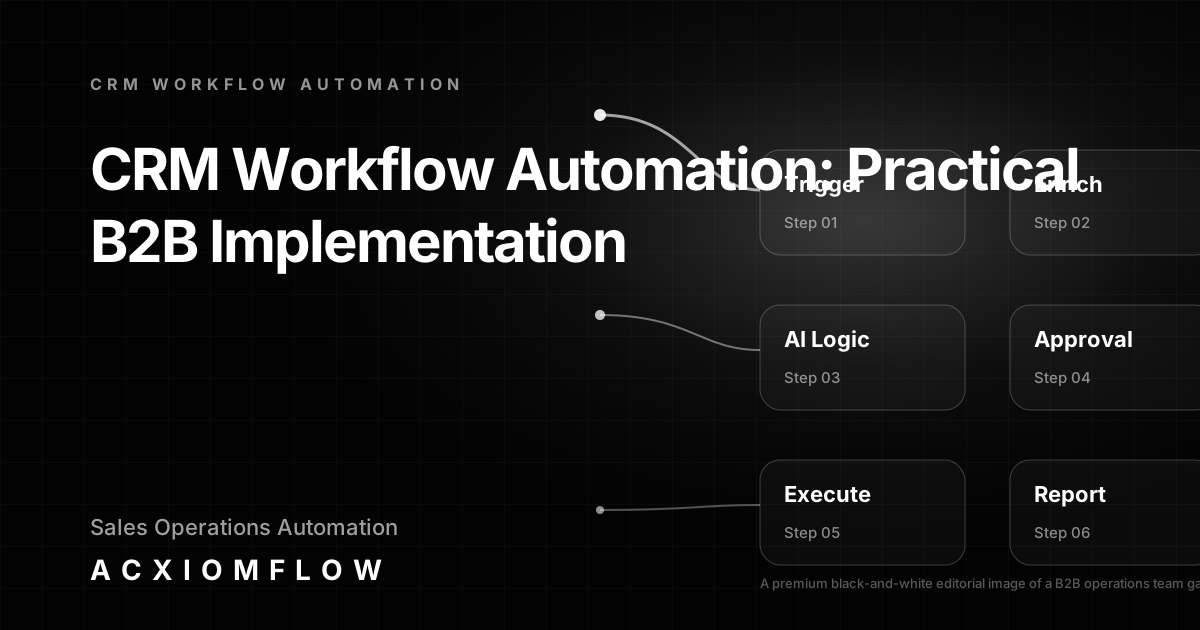
CRM workflow automation is the designed process of connecting triggers, AI decision logic, human approval gates, and multi-system actions so that repetitive sales and operations tasks move between your email, CRM, documents, and other tools as one measurable flow—without manual copy-paste work. A well-designed workflow can keep CRM records automatically updated from reliable business events, create the right tasks when deal stages change, and still pause important changes for human review.
What CRM Workflow Automation Means for Busy Teams
Most service businesses, agencies, and operations teams already have AI somewhere: in the CRM, a chatbot, or inside the apps they pay for. Yet they still spend hours each week copying data from emails into the CRM, updating deal stages by hand, or chasing colleagues for approval on standard documents. CRM workflow automation turns those scattered tool interactions into one governed process, where the system does the routine movements and humans focus on decisions and relationships.
Why scattered tools and manual updates break sales processes
When your team relies on separate inboxes, spreadsheets, CRM, and project boards, information gets stuck. A lead enquiry lands in email but the CRM record isn't created. A support ticket changes priority but the account team isn't notified. A contract comes in by PDF and someone re-types the data. These handoffs are not just slow—they create errors, duplicated work, and missed follow-ups. CRM workflow automation fixes this by routing data and decisions across your entire stack, not just inside one platform.
The shift from CRM features to connected, cross-tool workflows
Most CRM platforms offer built-in automations for task creation, email sequences, or stage updates. But real business processes rarely stay inside a single system. An enquiry might come from a web form, need AI classification, require a draft response that a manager approves, then update the CRM, create a task, and notify the right people on Slack. That’s a connected workflow, and it’s the reason teams are moving from feature-list thinking to process-first design.
The Essentials of a Real CRM Workflow Automation Process
A practical CRM workflow automation process follows a clear architecture. It doesn’t matter whether you use n8n, Make, or Zapier as the orchestration layer—the structure stays the same. Every well-designed workflow includes a trigger, AI logic, human approval, fallback handling, output, and measurement. Miss any of these and you’ll build a brittle automation that nobody trusts.
Trigger: where the data comes from
The process starts when an event occurs: an email arrives, a form is submitted, a CRM deal changes stage, a document lands in a watched folder, or a scheduled time triggers a cross-system report. The trigger collects the raw data and passes it into the workflow, along with any necessary context from the source tool.
AI logic and routing: classifying intent, prioritising, drafting updates
Once the trigger fires, the workflow calls on AI to make sense of the information. This might mean reading an email body to classify the sender’s intent, extracting key fields from a PDF invoice, scoring a lead based on firmographic data, or drafting a follow-up reply. The AI decision logic routes the data to the right branch—for example, high-value enquiry to a senior rep, or standard request to a pre-written template. The AI acts as a preparer, not a decider.
Human approval and fallback paths – where review adds safety and business judgment
Before the workflow writes a sensitive or AI-derived change to the CRM or sends a message, a human approval gate can stop anything unusual. A draft email, a proposed deal update, or an extracted invoice total appears in a simple review queue—often in Slack, email, or a dashboard—where a team member can approve, edit, or reject. Built-in fallback paths handle exceptions: if the AI confidence is low, the item is routed to a person. If a system is unreachable, the workflow retries and alerts the operations lead. This human-in-the-loop design keeps the business in control while eliminating busywork.
Output: writing to CRM, notifying teams, creating follow-up tasks
Once approved where needed, the workflow takes action: it updates CRM records with validated fields, creates a task for a follow-up call, sends a notification to a team channel, and logs the outcome. All steps are visible in a reporting layer so you can track processing times, errors, and bottlenecks.
How to Build a CRM That Automatically Updates
A CRM that automatically updates should not mean letting an AI freely overwrite customer data. The safer pattern is event-driven: reliable events create proposed or deterministic updates, validation checks the record, and higher-risk changes pause for review.
A practical implementation looks like this:
- Choose authoritative triggers. Use events such as a verified form submission, a sent or received sales email, a meeting outcome, a signed document, or a deal-stage change.
- Match the correct CRM record first. Search using reliable identifiers such as email, company domain or existing record ID before creating anything new.
- Separate deterministic data from AI-derived data. A submitted phone number can often be written directly after validation; an AI-generated assessment of purchase intent should normally be proposed for review.
- Validate before writing. Check required fields, allowed values, duplicate records and whether the incoming information is newer and more trustworthy than the current value.
- Apply the update and record the source. Write the approved fields, create a note or activity showing where the update came from, and timestamp the change.
- Route ambiguous cases to a fallback queue. If record matching fails, fields conflict, or an external system is unavailable, create a visible task instead of guessing.
- Measure correction and override rates. If people repeatedly reverse an automated update, change the rule rather than allowing the same mistake to continue.
This design keeps the CRM current without turning it into an uncontrolled AI database.
Automations for Deal-Stage Updates and Task Assignment
Deal-stage automation is valuable when each stage has a defined operational meaning. The stage change should trigger the work associated with that state, rather than relying on a salesperson to remember a checklist.
For example, when a deal moves to Proposal Requested, the workflow can verify required opportunity fields, prepare a proposal draft, create a review task and set a follow-up date. When it moves to Closed Won, it can create onboarding tasks, notify delivery, prepare the client handover and confirm that finance or account setup steps exist. When a deal is marked Lost, it can require a reason, cancel irrelevant open tasks and schedule an appropriate future follow-up where permitted.
The key control is to distinguish stage-driven rules from AI judgement. Creating a standard onboarding task from a confirmed Closed Won stage is deterministic. Allowing AI to move a deal to Closed Won because an email “sounds positive” is not. Keep material stage changes tied to trusted events or human approval.
Concrete CRM Workflow Automation Examples
See more AI workflow automation examples to understand the patterns in action. Here are five common B2B scenarios that show the full process from trigger to measurable improvement.
Lead qualification and CRM enrichment from inbound emails and forms
Trigger: a prospect fills out a contact form on your website. The workflow captures the submission, uses AI to research the company domain, and enriches the lead with firmographic data. The AI scores the lead as high, medium, or low priority. A draft acknowledgement email is generated and sent for review. After a team member approves, the workflow creates a CRM record, assigns a task, and posts a notification to the sales channel. The outcome: faster response, no manual data entry, and consistent qualification rules.
Proposal generation and task creation triggered by deal stage changes
Trigger: a deal moves to “Proposal Requested” in the CRM. The workflow fetches the opportunity details, pulls relevant pricing from a connected spreadsheet, and uses AI to compose a proposal draft based on existing templates. A manager reviews the draft in a central dashboard, edits a few lines, and approves. The workflow then generates the final document, updates the CRM, and creates a follow-up task. The sales team saves hours per proposal while maintaining personal judgement.
Invoice and document processing into CRM and financial systems
Trigger: a new PDF invoice arrives in a monitored email inbox or cloud folder. The workflow extracts vendor name, amount, date, and line items through AI-powered document parsing. It matches the vendor to an existing CRM account and creates a draft payment request. After a finance team member verifies the extracted data, the workflow pushes the payment into the accounting system and attaches a copy to the CRM record. Errors drop and month-end reconciliation becomes faster.
Customer onboarding status updates sent to project management and team channels
Trigger: a CRM deal reaches “Closed Won” status. The workflow creates a new onboarding project in your project management tool, adds the client details, assigns a team member, and posts a welcome summary to a dedicated team channel. All the project steps are documented, and future stage changes in the project tool update the CRM automatically. The handoff between sales and delivery becomes visible and nobody has to chase information.
Weekly sales reporting from multiple data sources without manual compilation
Trigger: a schedule fires every Monday morning. The workflow collects data from the CRM, accounting, support, and project tools, and an AI agent summarises the key numbers, highlights deviations, and drafts a narrative report. After a sales manager reviews and refines the commentary, the report is published to a shared dashboard. The team spends minutes on reporting instead of hours, and decisions are based on fresh data.
Implementation: Connecting Your Existing Tools Into One Flow
The best CRM workflow automation begins with what you already use, not with a software migration. Our CRM workflow automation service is designed around connecting the current stack. Here’s how to build the process layer without rip-and-replace.
Audit your current manual handoffs and data gaps
Start by listing the repetitive tasks that eat your team’s time: data entry between systems, re-typing information, copying meeting notes into the CRM, updating multiple spreadsheets. Map where data enters, where it must travel, and where decisions get stuck. This audit tells you which workflows will deliver measurable improvement first.
Select the right triggers and AI touchpoints for your CRM workflows
Identify the high-frequency, high-error processes—like lead intake, proposal drafting, or invoice processing—and design a trigger-to-output sequence for each. Decide where AI can reliably classify, draft, or extract data, and where human review adds safety. Keep each workflow narrow at first; you can broaden later.
Map the process with human approval gates and error handling
Draw out the full flow: trigger → AI classification → draft creation → human approval → CRM update → notification → reporting. Add fallback branches for low-confidence AI outputs, missing data, or system outages. This blueprint becomes your implementation guide and the foundation for documentation.
Train the team and iterate based on real performance metrics
Roll out the workflow to a small group, monitor the metrics (time saved, errors avoided, response speed), and adjust. Share clear documentation so the team understands exactly what the system does and when they need to step in. Keep improving the rules, prompts, and approval thresholds based on real operation data.
Measuring Success: What to Track After Automating CRM Workflows
Measurement turns a workflow from a one-off project into an ongoing operational asset. Track these concrete indicators:
- Time saved: Minutes per task before and after automation.
- Error reduction: Number of manual data-entry mistakes or missed fields.
- Response speed: How quickly leads are acknowledged, or how fast proposals are generated.
- CRM data completeness: Increase in records with filled standard fields, notes, and activities.
- Approval throughput: Volume of items reviewed and approved per week.
- Automatic-update override rate: Percentage of proposed or automatic CRM changes that a person corrects or reverses.
Feed these metrics back into the workflow. If errors spike on a particular document type, improve the extraction or validation logic. If a team consistently edits a certain draft, adjust the template. This closed-loop reporting turns your CRM workflow automation into a continuously improving system.
Why Tool-First Approaches Fail and Process-First Wins
Many CRM automation guides stop at listing features—Salesforce flows, Pipedrive automations, Zoho workflows—or comparing orchestration tools. That’s the tool-first mistake. It leads to isolated automations that work inside one system but ignore the rest of the stack. Your sales rep still copies notes from email to CRM; your finance team still re-keys invoices.
A process-first approach, like Acxiomflow’s, starts with the real sequence of work: intake from multiple sources, AI understanding, rules, tool updates, team approval, and measured outcomes. It works with the software you already pay for—HubSpot, Pipedrive, Airtable, Google Workspace, or any combination—and doesn’t ask you to rebuild your tech stack. Learn more about the Acxiomflow process of audit, design, build, deploy, train, maintain and improve.
Frequently Asked Questions
For a deeper dive into governance and approval patterns, check our AI workflow automation FAQs.
How do you build a CRM that automatically updates?
Use reliable business events as triggers, match the correct CRM record, validate incoming data, separate deterministic updates from AI-derived proposals, then write approved fields and log their source. Ambiguous matches or conflicting data should go to a human review queue rather than being guessed.
What automations should happen when a deal stage changes?
Use stage changes to create the operational tasks that reliably belong to that stage—for example proposal review, follow-up reminders, onboarding handover or lost-deal administration. Material stage changes themselves should come from trusted events or human decisions, not unverified AI inference.
What is CRM and workflow automation?
CRM workflow automation means using triggers, rules, and AI to move data and actions between tools—like your email, CRM, and documents—so that repetitive updates, lead routing, and approval steps happen as a connected process, not manual copy-paste. It differs from built-in CRM automations because it connects the full stack, not just one system.
What is a CRM workflow?
A CRM workflow is the end-to-end sequence of steps that handle a business task—for example, an inbound enquiry triggering AI classification, CRM record creation, task assignment, draft reply, and human approval before the outreach is sent. It’s the designed process, not just a feature inside a CRM.
Can you automate CRM?
Yes—but the real value comes from automating the work that moves between your CRM and the other tools your team uses every day. That means connecting triggers, AI logic, human review points, and output actions so your CRM stays updated without manual data entry.
What are CRM automations?
CRM automations are pre-built or custom sequences that handle tasks like updating deal stages, sending follow-up emails, or assigning leads. However, isolated CRM automations still leave gaps when other systems (inboxes, spreadsheets, documents) aren’t part of the flow. A practical CRM workflow automation connects all those pieces.
How do you implement CRM workflow automation without replacing your software?
Start by auditing the repetitive manual handoffs your team already does. Map where data enters, where AI can classify or draft, where a human should review, and where the final update lands. Use orchestration tools to connect your CRM, email, and AI, without migrating away from your current software. A process-first approach keeps your existing stack, just connected.
Next Steps
If your team is spending too much time on manual CRM updates, lead routing, or cross-system admin, a process-first workflow can change how you operate. At Acxiomflow, we begin with a free AI workflow audit that maps your current tools, identifies the bottleneck workflows, and designs a connected process with human approval and reporting built in.