AI workflow automation is the practice of connecting your existing business tools and AI capabilities into one end‑to‑end process, driven by a clear sequence: a trigger, AI‑powered understanding (classification, extraction, summarisation), process rules that decide what happens next, tool updates, and human review where it matters. It’s not a single piece of software – it’s a designed operating system that turns scattered tools into one working process. For service businesses that depend on fast, accurate enquiry handling, that shift from disconnected effort to a measurable, repeatable flow is what keeps leads from going cold, support cases from falling through the cracks, and the team from drowning in copy‑paste admin.
Quick Answer
AI workflow automation for enquiry handling means building a process that ingests enquiries from email, forms, social channels, or CRM records, lets AI classify urgency and extract key details, routes the work to the right person, and – critically – requires human approval before critical actions happen. The same workflow then updates your CRM or helpdesk, logs the activity, and feeds a reporting dashboard so the whole team can see what’s working. The value is in the designed process, not in a specific tool.
Introduction: Enquiry Handling is Broken – Here’s How to Fix It
Most service businesses already have AI features somewhere – in their CRM, a chatbot, an LLM tab left open, or built into the apps they pay for. The problem is that those features sit inside separate silos. A web form lands in one inbox; a support email lands in another; the CRM needs someone to copy the details across; and by the time a reply goes out, the prospect has already moved on.
That manual stitching of tools is what costs teams time, consistency, and response speed. AI workflow automation solves it not by adding another tool to the pile, but by threading together the triggers, logic, and approvals that sit between your existing systems. Instead of a scattered set of features, you get one working process that you can monitor, measure, and improve.
What Is AI Workflow Automation (and Why It Matters for Service Businesses)
AI workflow automation is the combination of three practical layers: triggers that capture an event (a new enquiry, a file arriving, a status change), AI decision logic that understands what the event means and what should happen next, and governance – the rules, approvals, and fallback paths that keep the process safe and human‑led. Tools and integrations sit below those layers, not above them.
The scattered‑tools problem: why your CRM, inbox, and AI features aren’t talking Even when a service business uses a modern CRM, an AI‑powered helpdesk, and a knowledge base, the actual work of handling an enquiry still relies on a person skimming each message, deciding what’s urgent, finding the right reply template, and copying data between screens. That’s not a workflow; it’s a collection of point solutions with a human acting as the glue. When the volume increases, the glue breaks down – response times stretch, handovers get messy, and ownership becomes unclear.
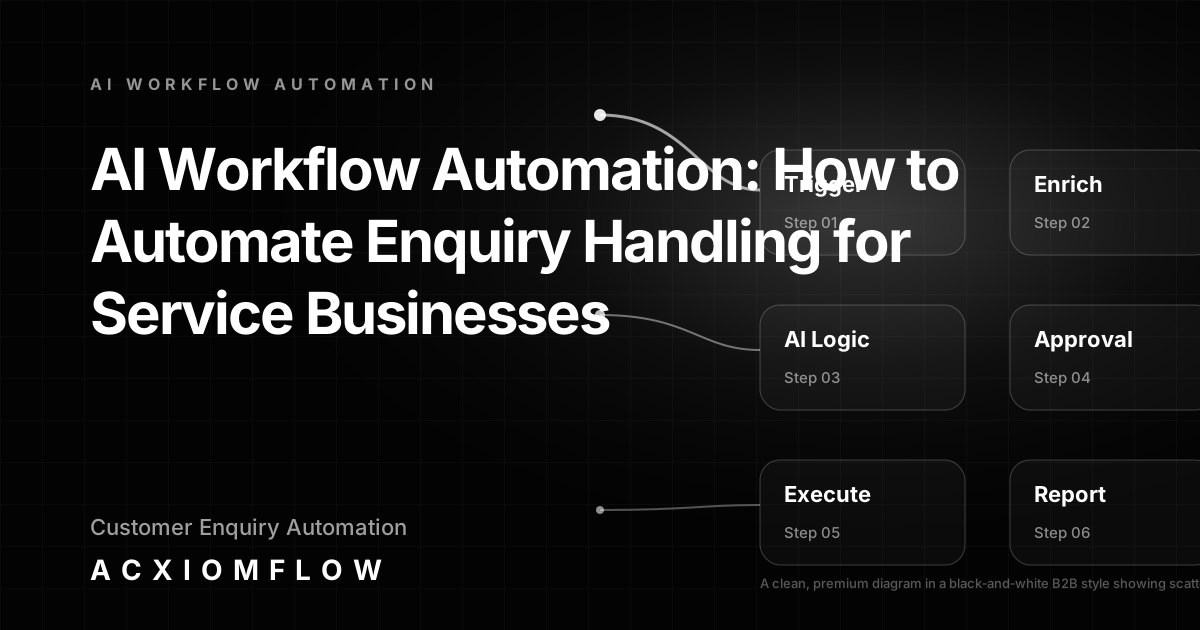
How a six‑stage workflow (Intake → AI Understanding → Process Rules → Tool Updates → Team Approval → Real Numbers) solves it The framework that turns scattered tools into one process follows six deliberate stages: 1. Intake – Emails, forms, PDFs, CRM records, or helpdesk tickets enter the flow. 2. AI Understanding – The AI classifies the enquiry, extracts names, dates, and context, and summarises the core ask. 3. Process Rules – Routing logic, priority mapping, and validation checks decide whether to proceed, flag for review, or escalate. 4. Tool Updates – Outputs are written to the CRM, the helpdesk, a workspace, a spreadsheet, or wherever your team already works. 5. Team Approval – Drafts, decisions, or record changes are held until a person reviews them. AI prepares; humans decide. 6. Real Numbers – Response times, error rates, bottlenecks, and time saved are tracked so the process can be refined.
When your workflow follows this path, the automation platforms you choose – tools such as n8n, Make, or Zapier – sit inside the flow as interchangeable building blocks, but the value comes from the designed process around triggers, AI logic, human approval, fallback handling, and reporting. For service businesses ready to implement this, our AI workflow automation services help design the whole architecture without locking you into a single platform.
The Four Pillars of an Effective Enquiry Handling Workflow
Every successful AI workflow for enquiry handling rests on four decision‑based pillars. They are not software features; they are process checkpoints that determine whether the workflow makes your team faster or just creates more noise.
1. Trigger and intake: email, web forms, PDFs, CRM records, helpdesk tickets The process must capture every enquiry, regardless of source. A trigger can be a new email, a form submission, a file dropped into a monitored folder, or a record change in the CRM. Standardising intake is the first step towards consistent handling, because you can’t automate what you can’t reliably detect.
2. AI classification, extraction, and routing: what the AI actually does Once the trigger fires, the AI reads the content. It categorises the enquiry type (lead, support, billing, partnership), extracts key fields (company name, order number, requested service), and calculates a priority score. Routing rules then send the case to the correct team member or queue, while the AI also drafts a proposed response or summary.
3. Human approval and exception handling: when the AI stops and a person decides Before any outward‑facing action – sending a reply, changing a deal stage, posting a comment – the process pauses for human review. The drafted reply, enriched record, or classification appears in a simple approval step. If the AI confidence is below a threshold, or if the enquiry matches an edge case, the workflow triggers a fallback: the item is pushed to a manager queue, the team is alerted, and the system waits for a clear decision. This is the heartbeat of the Acxiomflow process: AI prepares, humans decide, and the workflow records the outcome so it learns and improves.
4. Output and integration: CRM updates, reply drafts, Slack alerts, dashboard metrics The final approved actions must land where your team already works. That means updating deal cards in your CRM, posting a ticket note in your helpdesk, sending a notification to a Slack channel, and appending a row to a reporting dashboard. The workflow isn’t done until the data is in the systems your team trusts – and until the metrics reflect what just happened.
Concrete B2B Workflow Examples (Not Theory)
Service businesses see the most immediate impact when they apply the four‑pillar model to high‑frequency enquiry channels. Here are four practical workflows, each designed to turn a scattered‑tool headache into one measurable process. For live demonstrations, explore our AI workflow automation examples that show these patterns in action.
Lead qualification and CRM follow‑up: from web form to enriched CRM record with team approval A prospect fills in a website contact form. The trigger fires, the AI reads the message, classifies the service interest, extracts contact details, and drafts a personalised follow‑up email. The draft, along with the enriched CRM record, sits in an approval queue. The assigned salesperson reviews, edits if needed, and approves. The CRM is updated, the email is sent (or scheduled), and a Slack alert is posted to the sales channel. No one manually copies data from a form to the CRM, and no enquiry is forgotten.
Support triage and response: automatic classification, draft reply, and routing to the right agent with escalation triggers A support email arrives. The AI identifies the product area, checks for priority keywords ("urgent", "unable to", "login"), pulls the customer’s recent tickets, and drafts a reply that references known solutions. The case is routed to the relevant agent, but only after a team lead reviews the draft for new or sensitive issues. If the AI is uncertain, an escalation trigger pushes the ticket to a senior team member, and a fallback note tells the customer that a human is on it. The helpdesk updates automatically, and the response time is logged.
Invoice and document processing: extract line items from PDFs, validate against purchase orders, and push into the accounting system with a review step A supplier PDF arrives in a monitored email inbox. The trigger extracts the document, the AI reads the line items, cross‑references them against open purchase orders, and flags mismatches. The prepared data sits in a review dashboard where a finance team member can confirm or adjust. Once approved, the line items are pushed into the accounting system, and a confirmation email is sent to the supplier. Manual data entry is replaced by a controlled, auditable process.
Customer onboarding: trigger checklist creation, assign tasks, send personalised welcome emails, and update the CRM – all with human checkpoint When a deal moves to "closed‑won" in the CRM, the workflow fires. The AI generates an onboarding checklist based on the service purchased, drafts a personalised welcome email, and creates tasks for the delivery team. A project manager reviews the checklist and email, adjusts if needed, and approves. The tasks are assigned, the welcome email is sent, and the CRM client record is enriched with the onboarding timeline. Nothing is left to memory, and the new client feels guided from day one.
Why Human Approval is Not Optional
AI can read, draft, and route at speed, but it cannot understand nuanced tone, sensitive client relationships, or the informal handshake context that experienced team members bring. That’s why every critical path in an enquiry handling workflow must include a human stop point – and a clear fallback when things don’t go as expected.
Critical steps that always need a person’s sign‑off Outbound communication to a customer or prospect – whether a reply, a proposal, or a status update – should never be sent without review. Changes to financial records, deal stages, or contractual commitments also demand a person’s decision. The workflow should present the AI’s draft and the supporting data in one view, so the reviewer can approve, edit, or reject with a single click.
Building fallback paths: what happens when the AI is uncertain Every workflow must define what happens when the AI encounters low confidence, a missing field, or an enquiry type it hasn’t seen before. Fallback paths route the item to a designated person, pause further automation until a decision is made, and log the exception for later analysis. These paths are not failures – they are the safety net that keeps the process trustworthy and allows it to handle real‑world variety without breaking.
Reporting, Training, and Continuous Improvement
A working process is only as good as the team’s ability to see how it’s performing and make it better. Once the workflow is live, reporting, team training, and regular iteration turn a one‑time build into a long‑term asset.
Metrics that matter: response time, error rate, re‑work saved, bottlenecks removed Instead of hunting through inboxes for clues, the workflow’s reporting layer gives you hard numbers: average time from enquiry to first reply, percentage of cases resolved on the first touch, manual re‑entries eliminated, and where approvals are blocking the flow. Tracking these metrics week over week shows the real work saved and highlights the next area to refine.
Training your team on the new process (and why plain‑language documentation matters) A sophisticated AI workflow fails if only one person understands it. Teams need a simple, documented walkthrough of how the process works, where they should approve or review, and what to do when an exception occurs. Plain‑language guides, short screen recordings, and a single source of truth keep the process alive and owned by the whole team, not hidden in a developer’s notebook.
Iteration cycles: reviewing analytics and adjusting AI rules Every quarter, the numbers tell a story. Maybe one enquiry type is consistently misclassified, or a new service line needs its own routing rule. Reviewing the reporting data, collecting team feedback, and adjusting the AI’s classification logic or approval thresholds keeps the process aligned with the business – and prevents an automated workflow from becoming an automated bottleneck.
How to Get Started Without Overhauling Your Entire Stack
You don’t need to replace your CRM, helpdesk, or email to begin. The best AI workflow automation builds on the tools your team already uses.
Start with the highest‑volume, highest‑friction enquiry channel Pick one intake channel – often the main contact form or support inbox – where the volume is high and the manual effort is obvious. That single channel becomes the proving ground for your first end‑to‑end workflow, delivering fast feedback and measurable results without disrupting the wider business.
Map the current manual handovers first Before touching any automation, map every step a human takes today: where the enquiry lands, who reads it, what information they copy, which tool they update next, how they decide what to do. That map exposes the exact handovers and gaps the workflow must close – and it becomes the blueprint for the AI logic and approval points.
When to bring in an external AI workflow automation agency like Acxiomflow When the internal team lacks the capacity to design and maintain the workflow – or when the pain of scattered tools is costing real revenue and team morale – a process‑first partner accelerates the transition. Rather than just connecting APIs, a partner like Acxiomflow builds the governance layer: trigger mapping, fallback definitions, reporting dashboards, and training. The result is a working process your team can own and improve, not a hand‑off to a black box.
Frequently Asked Questions About AI Workflow Automation
What does AI workflow automation mean? AI workflow automation means connecting your existing business tools and AI capabilities into a designed process that follows a repeatable sequence: a trigger captures an event, AI classifies and enriches the data, rules decide what happens next, a human reviews critical actions, and the output is written into your systems. The value is in the designed flow, not in any one tool or platform.
How can I automate my workflows using AI? Start by identifying a repetitive, high‑volume task – such as handling a new web enquiry – and map every manual step a person takes. Then design a process where the AI handles classification, extraction, and draft creation, but a human still reviews the output before it goes live. The pattern is always trigger → AI logic → human approval → system update → reporting. Tools and integrations are chosen only after the process is designed.
What is the best AI workflow automation tool? There is no single best tool – the right building blocks depend entirely on the process you need to build. Service businesses benefit most from a tool‑agnostic approach where platforms are selected only after the workflow is mapped and the governance rules are clear. A process‑first partner can help choose the right combination without locking you into one vendor. For more on this approach, visit our AI workflow automation FAQs.
How do you automate enquiry handling for a service business? Connect every incoming source (email, forms, social, CRM) to a central intake point. Use AI to classify urgency, extract key details, and draft a proposed reply. Route the case to the right team member, but hold the draft and any record changes until a person reviews them. After approval, update the CRM and send the reply. The system must include fallback paths for edge cases and a reporting layer that tracks response time and accuracy.
What are examples of AI workflow automation? Practical B2B examples include: lead qualification that enriches a CRM record and drafts a follow‑up with human approval; support ticket triage that classifies issues, drafts replies, and escalates when uncertain; invoice processing that extracts line items from PDFs, validates against purchase orders, and pushes into accounting after review; and customer onboarding that triggers checklist creation, assigns tasks, and sends personalised emails – all with a human checkpoint. Each example follows the trigger → AI logic → human approval → system update → reporting pattern.
Conclusion: From Scattered Tools to One Measurable Process
AI workflow automation is not about buying a tool and hoping it transforms your operations. It’s about designing a process that takes the AI features already buried inside your tools and connects them across triggers, logic, approvals, and real‑time reporting. For service businesses that rely on fast, accurate enquiry handling, that process is the difference between a team stuck in copy‑paste admin and a team that focuses on the work that actually needs a human.
That shift starts with a practical, no‑obligation review of your current enquiry flow. We’ll look at where the handovers are breaking, where the AI can take the first draft, and where human judgment belongs. Then we’ll map a path from scattered tools to one working process.