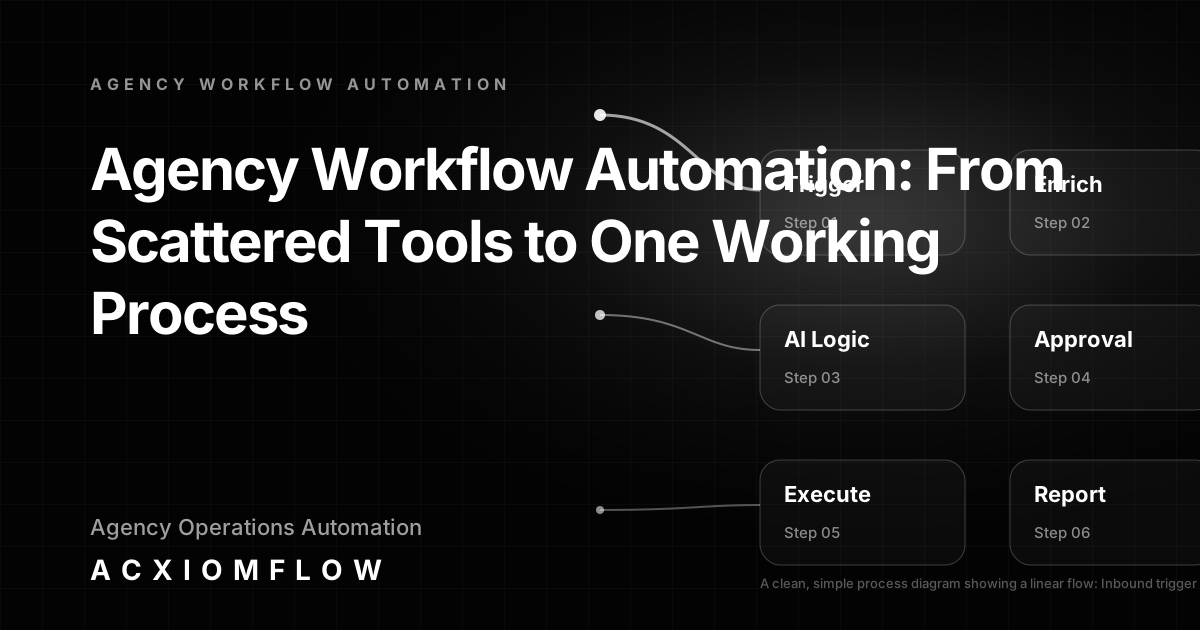
Agency workflow automation is the practice of designing and implementing connected operational sequences that span your existing tools, AI capabilities, and team approvals. Instead of treating each software or AI feature as an island, you create one measurable process where triggers, AI decisions, human review, output actions, fallback handling, and reporting all work together. For most service businesses and agencies, the problem is not a lack of AI-powered tools—it’s that those tools don’t talk to each other, leaving your team to bridge the gaps with manual data entry, copy-paste routines, and missed follow-ups.
In short: Agency workflow automation connects your CRM, inbox, project management, and AI drafting into a single, auditable flow. A new enquiry triggers data enrichment and classification; AI drafts a response or summary; a team member approves with one click; the CRM updates automatically; and if anything looks off, the process escalates rather than silently failing.
*From scattered tools to one working process* is the only way to turn AI features into practical operational value, and that is the focus of this guide.
Agency workflow automation is not just about tools
A quick scroll through search results reveals a pattern: list after list of “best tools for agency workflows.” Yet agencies that have already invested in HubSpot, Pipedrive, Airtable, ChatGPT, or similar platforms still struggle with everyday admin. The gap is that owning an AI-capable tool is not the same as having an AI-driven process.
Why tool lists fail operations teams Tool lists answer “what to buy,” not “how to connect.” A CRM with built-in AI scoring is useful, but if a lead comes in via email and the score doesn’t automatically trigger a draft reply, notify the right person, and update the dashboard, the team still does the bridging work. That bridging work—the handovers, the re-typing, the checking of multiple tabs—is what agency workflow automation is designed to remove.
The gap between owning AI features and having AI-driven processes Most agencies already have AI somewhere: in the CRM’s lead scoring, in an LLM subscription, in a helpdesk chatbot. The missing layer is process design: the rules that say “when this event happens, classify it this way, draft a response, and wait for a human to approve before updating these three systems.” Without that layer, the team remains the human middleware between tools.
Working with a dedicated AI workflow automation services partner can help you bridge that gap by designing the process around your existing stack rather than adding another platform.
The anatomy of a working agency workflow automation process
To understand why some automations deliver while others gather dust, it helps to look at the components of a properly designed workflow. Every reliable agency automation follows a sequence of layers.
Trigger layer: emails, forms, CRM events, webhooks The process starts with an inbound signal: a new email in the support inbox, a form submission, a deal stage change in the CRM, a file dropped into a folder. The trigger must capture the event and its payload without manual intervention.
AI understanding and decision logic: classify, summarise, route Once captured, the raw data is fed to an AI model—often an LLM—that can classify the intent, extract key fields, summarise the content, or decide on the correct routing. For example, an incoming enquiry might be classified as “new business,” “support,” or “general,” and the AI might draft a tailored reply.
Human approval checkpoints: review, edit, escalate Critical client-facing outputs and high-stakes actions should pass through a human checkpoint. A team member sees the AI’s classification and draft, makes any necessary edits, and approves. The process only continues after that approval. This is the core of *human-in-the-loop* automation: AI prepares, a person decides.
Output actions: CRM updates, report generation, client communication Post-approval, the workflow automatically updates the relevant systems: the CRM gets the new note and status change, a report is generated and shared, an email is sent. The actions happen silently across multiple tools, eliminating manual data entry.
Fallback and error handling: when AI gets it wrong Not every classification is correct. A well-designed workflow includes fallback paths: if the AI confidence is low, route to a senior reviewer; if a required data field is missing, notify a specific channel; if a system API fails, retry or alert. Without fallbacks, automation becomes brittle.
Reporting and continuous improvement loops The final layer captures metrics: time from trigger to resolution, error rates, approval rates, bottlenecks. These numbers allow you to continuously tune the process, adjust prompts, and refine rules. It’s this measurement loop that moves agency workflow automation from one-off project to ongoing operational asset.
Why most agency automation projects fail (and how to avoid it)
Common pitfalls can derail even well-intentioned automation efforts. Recognising them early keeps your project in the territory of practical improvement.
Mistake 1: Trying to automate a broken manual process If the manual process is inconsistent or unclear, automating it will just amplify the chaos. Before you connect tools, you need to map the current state, identify the friction points, and redesign the sequence. A clean manual process is the foundation for automation.
Mistake 2: Skipping human approval in client-facing outputs Automatically sending AI-drafted replies, proposals, or reports without human review can damage client trust. Including a lightweight approval step—often a simple review and confirm—protects quality and gives the team confidence in the output.
Mistake 3: No fallback path for AI failures When the AI misclassifies a request or cannot extract the needed data, the process must route to a human with context. Without a fallback, tasks die silently, and work falls through the cracks. Fallbacks are not a sign of failure; they are part of a robust system.
Mistake 4: Zero measurement or iteration If you can’t see how much time was saved or where errors occur, the automation becomes invisible. Build in reporting from day one: track volumes, human touchpoint rates, and turnaround times. Use that data to iterate.
Practical agency workflow automation examples (processes, not tools)
The best way to understand the anatomy is to see it in action. Below are real operational patterns that agencies use. In each case, tools such as CRMs, spreadsheets, and integration platforms like n8n, Make, and Zapier can be plugged in, but the value comes from designing the sequence of triggers, decisions, approvals, and follow-through.
Lead qualification workflow - Trigger: A new enquiry arrives via a website form or email. - AI logic: The workflow extracts the contact details, enriches them with company data, classifies the intent, and scores the lead based on predefined criteria. AI drafts a personalised acknowledgment or next-step reply. - Human approval: A business development manager reviews the draft in a simple interface, adjusts if needed, and approves. - Output: The CRM is updated with the lead, score, and sent note; a follow-up task is created; the team is notified via Slack or email. - Fallback: If the AI cannot extract a valid email or the score is ambiguous, the lead is placed in a “manual review” queue with all available context.
This pattern turns the first few minutes of lead handling from a multi-step manual chore into a single review-and-confirm action.
Client reporting automation - Trigger: A weekly schedule or a “generate report” request fires the workflow. - AI logic: The process pulls data from project management tools, the CRM, and finance or time-tracking platforms. It aggregates performance metrics, compares to targets, and uses an LLM to draft a narrative summary of key insights. - Human approval: An account manager opens the draft report, checks the figures and narrative, and either approves or edits. - Output: The final report is formatted and sent to the client; a summary is stored in the client’s CRM record; team performance dashboards are updated. - Fallback: If a data source is unreachable, the report notes the gap and alerts the team, rather than failing outright.
Agencies using this approach reduce the hours spent on manual report creation and produce more consistent client communications.
Invoice and document processing - Trigger: A PDF invoice or contract arrives by email or is uploaded to a folder. - AI logic: The workflow extracts line items, amounts, dates, and supplier details using AI-powered parsing. It matches the data against purchase orders or project codes. - Human approval: A finance team member reviews the extracted data against the original document, verifies the match, and approves. - Output: The accounting system is updated with the payable record; the supplier’s CRM record is updated; payment reminders are scheduled based on terms. - Fallback: If the extraction confidence is low or a match fails, the document is queued for manual processing with the AI’s best guess displayed for comparison.
For more examples of how such processes look in practice, you can explore AI workflow automation examples on the Acxiomflow site.
The Acxiomflow approach: from scattered tools to one working process
Acxiomflow specialises in turning the tools you already use into connected, measurable workflows. The process is built around a repeatable Acxiomflow process that moves through six stages: Intake (emails, forms, CRM events), AI Understanding (classification, extraction, summarisation), Process Rules (routing, validation, prioritisation), Tool Updates (CRM, spreadsheet, database), Team Approval (review, edit, confirm), and Real Numbers (time saved, errors reduced, speed).
The approach is deliberately tool-agnostic. Whether your stack includes HubSpot, Pipedrive, Airtable, Google Sheets, Notion, or a combination, Acxiomflow designs workflows that use your existing licences and data. You don’t need to migrate or replace software.
Every workflow includes human-in-the-loop approval points, clear fallback paths, and training support for your team. The goal is not a flashy demo but a process your team can trust and keep improving.
Acxiomflow also pre-builds service engines—pattern libraries that can be customised for specific needs. For example, the Lead Generation Engine automates prospect research, CRM enrichment, and outreach drafting; the AI SEO Autopilot creates repeatable content research and draft workflows; and the Social Media Automation Engine connects ideas, drafts, approvals, and scheduling into one pipeline. Each engine is a concrete starting point, not a one-size-fits-all product.
Agency workflow automation cost, benefits, and what to expect
What drives the cost of an automation project? Costs vary based on the number of integration points, the complexity of the AI logic, the layers of approval, and the level of reporting required. A simple lead acknowledgement flow with one approval is far lighter than a multi-department client reporting system pulling from five data sources. Because every agency has a different tool stack and operational structure, a personalised audit is the only way to get an accurate estimate.
Benefits beyond ROI: consistency, audit trail, scalability While time savings are measurable, the broader benefits include consistent client experiences (every lead gets the same quality follow-up), a clear audit trail of who approved what and when, and the ability to handle increased volume without hiring at the same rate. These operational gains often prove more valuable than raw hourly savings.
Why starting with an AI workflow audit is the safest next step Rather than committing to a full build, an audit allows you to see which of your processes are automation-ready, where quick wins exist, and what a phased build would look like. It’s a low-pressure way to evaluate feasibility.
How to get started with agency workflow automation (without buying another tool)
Step 1: Map your highest-friction process Choose one routine that consumes significant team time and involves multiple tools. Document each handover, the data that moves, and where things go wrong. This isn’t a technical exercise; it’s a clear picture of the current operational flow.
Step 2: Identify the decision points that still need a human Mark the steps where judgement is essential—approving a draft, verifying an amount, choosing a reply tone. These are the human checkpoints you will keep. The rest can be automated.
Step 3: Book a free AI workflow audit to see what’s possible That clear map becomes the starting point for a conversation. Acxiomflow offers a free audit where your process is reviewed, and you receive a practical plan showing how to connect your tools into one working flow—with trigger, AI logic, approval, output, and measurement already considered.
Frequently Asked Questions
For quick answers to common questions, visit our AI workflow automation FAQs page.
What is agency workflow automation? Agency workflow automation is the design and implementation of connected sequences across your existing tools, AI models, and team approvals. It turns scattered manual tasks—like updating a CRM from an email or compiling a report from multiple platforms—into one consistent, measurable process.
How much does agency workflow automation cost? The cost depends on factors like the number of systems you need to connect, the complexity of the AI logic, and the required approval and fallback layers. A free audit from Acxiomflow provides a tailored estimate based on your actual tools and workflows, without upfront commitment.
What are examples of workflow automation for agencies? Common examples include lead qualification workflows that enrich and score new enquiries, then draft a reply for human approval; client reporting automation that pulls data and creates a narrative summary for review; and invoice processing that extracts line items and routes for payment approval while updating your accounting system.
Can I build agency workflow automation without hiring an agency? Low-code platforms allow in-house teams to create simple automations, but designing a reliable system with AI decisions, appropriate fallback paths, and human-in-the-loop governance often requires specialist experience. A professional audit can uncover where existing tools can be quickly connected and where custom design is needed.
*From scattered tools to one working process*—that’s what agency workflow automation, done right, delivers. It doesn’t require scrapping your software or trusting AI with final decisions. It requires a clear process design, proper approval points, and a commitment to measuring and improving. That’s the approach we build every day.